Configuring Internet Explorer on Windows Computers
To configure your browser to use the Observatories proxy server:
Go to tools -> internet options to bring up the options dialog. Select the Connections tab:
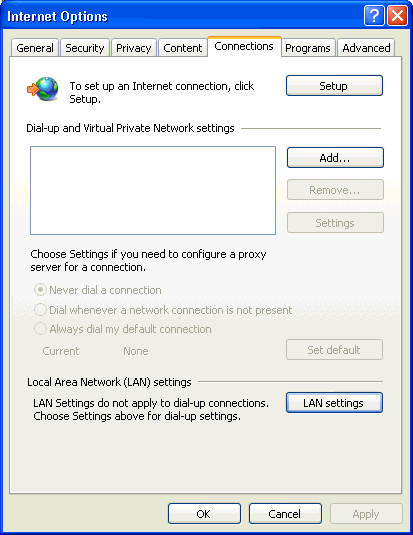
Select LAN settings to bring up the LAN connection settings dialog. Check Use automatic configuration script and then enter http://proxy.obs.carnegiescience.edu/proxy.pac into the text box:
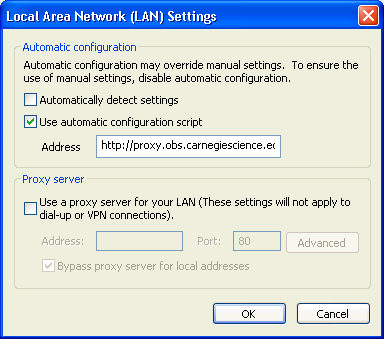
Click OK to close all the dialogs.
When you first visit a web site that is directed through the proxy server you will be prompted to enter the proxy server username and password.

You will have to enter this information once every browser session, so you probably want to have it remembered unless you are using a public or someone elses computer.